Download this guide with its diagrams as a PDF.इस गाइड को चित्रों सहित PDF में डाउनलोड करें।
What it isयह क्या है
Malware is software designed to harm or spy on you: stealing passwords, reading messages, locking files or taking over your device. It usually arrives through fake apps, APK files shared in chats, cracked software, or attachments in emails.
मैलवेयर ऐसा सॉफ़्टवेयर है जो आपको नुकसान पहुँचाने या आपकी जासूसी करने के लिए बनाया जाता है: पासवर्ड चुराना, संदेश पढ़ना, फ़ाइलें लॉक करना या डिवाइस पर कब्ज़ा करना। यह आम तौर पर नकली ऐप, चैट में भेजी गई APK फ़ाइलों, क्रैक सॉफ़्टवेयर या ईमेल अटैचमेंट से आता है।
-
An unknown app or file arrives: an APK, pirated software or a linkअनजान ऐप या फ़ाइल आती है: APK, पायरेटेड सॉफ़्टवेयर या लिंकStop hereयहीं रोकें: Install apps only from the official app store or official websites.ऐप सिर्फ़ आधिकारिक ऐप स्टोर या आधिकारिक वेबसाइट से इंस्टॉल करें।
-
You install it and allow its permissionsआप उसे इंस्टॉल करके अनुमतियाँ दे देते हैंStop hereयहीं रोकें: Deny permissions the app does not need, especially SMS and accessibility.जो अनुमतियाँ ऐप को नहीं चाहिए, खासकर SMS और एक्सेसिबिलिटी, उन्हें मना करें।
-
Malware runs quietly in the backgroundमैलवेयर चुपचाप बैकग्राउंड में चलता हैStop hereयहीं रोकें: Keep the phone updated. Remove any app that behaves oddly.फ़ोन अपडेट रखें। अजीब व्यवहार करने वाला ऐप हटा दें।
-
It reads SMS, OTPs, the screen and your filesवह SMS, OTP, स्क्रीन और फ़ाइलें पढ़ता है
-
Money is stolen or your files are lockedपैसा चोरी होता है या फ़ाइलें लॉक हो जाती हैं
Common warning signsआम चेतावनी के संकेत
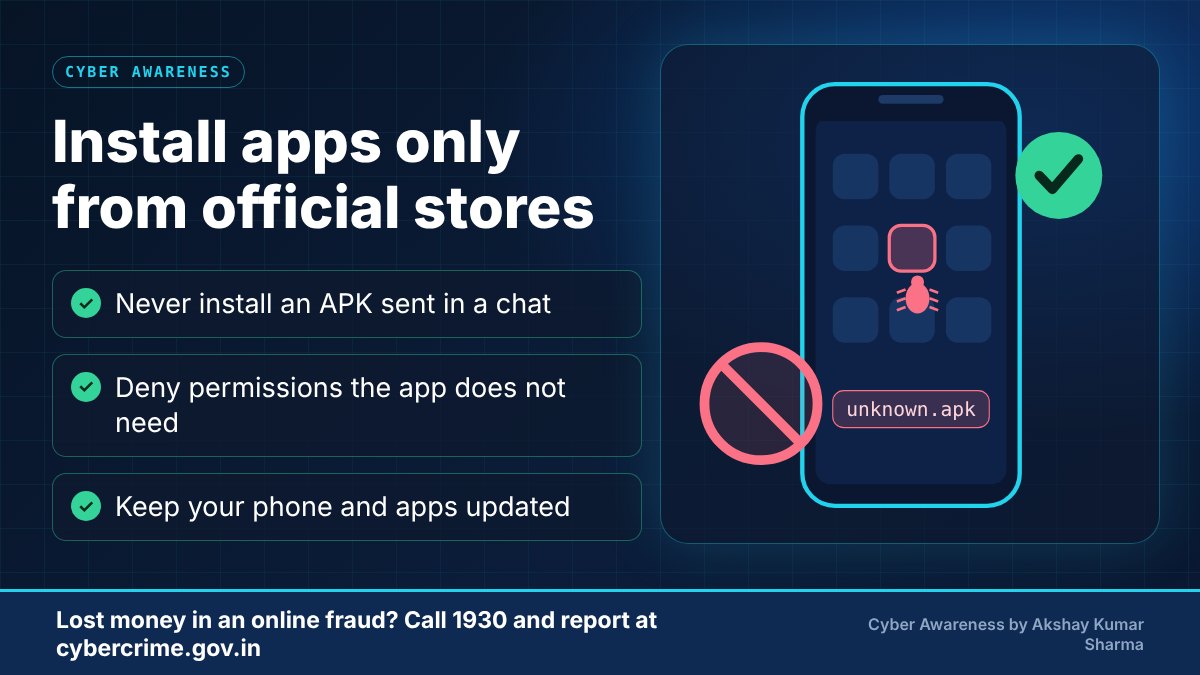
- An app or file sent to you in a chat, asking you to install it outside the official app store.
- Apps that ask for accessibility, SMS or device-admin permissions without a clear reason.
- Battery draining fast, the device becoming slow, or unknown apps appearing.
- Pop-ups, redirects, or messages sent from your number that you did not send.
- A 'bank', 'KYC', 'electricity bill' or 'RTO challan' app or APK sent by message.
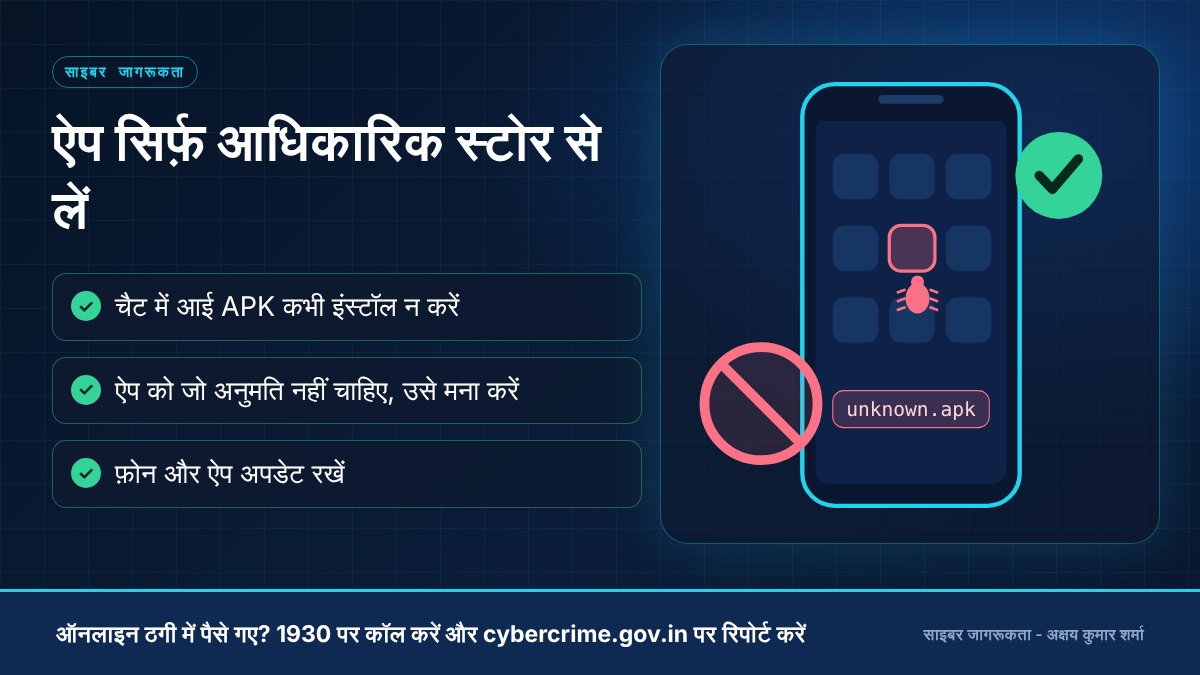
- चैट में भेजा गया ऐप या फ़ाइल, जिसे आधिकारिक ऐप स्टोर के बाहर से इंस्टॉल करने को कहा जाए।
- ऐसे ऐप जो बिना स्पष्ट कारण एक्सेसिबिलिटी, SMS या डिवाइस-एडमिन अनुमति माँगें।
- बैटरी जल्दी ख़त्म होना, डिवाइस धीमा होना, या अनजान ऐप दिखना।
- पॉप-अप, रीडायरेक्ट, या आपके नंबर से ऐसे संदेश जाना जो आपने नहीं भेजे।
- 'बैंक', 'KYC', 'बिजली बिल' या 'RTO चालान' के नाम पर संदेश में भेजा गया ऐप या APK।
Practical prevention tipsबचाव के व्यावहारिक सुझाव
- Install apps only from the official app store and check the publisher and reviews.
- Never install APK files received through messages, even from contacts.
- Keep your operating system and apps updated, and use a reputable security app.
- Avoid pirated or cracked software.
- Review app permissions and uninstall anything you do not recognise.
- ऐप केवल आधिकारिक ऐप स्टोर से इंस्टॉल करें और प्रकाशक तथा रिव्यू जाँचें।
- संदेशों में मिली APK फ़ाइलें कभी इंस्टॉल न करें, भले ही संपर्क ने भेजी हों।
- ऑपरेटिंग सिस्टम और ऐप अपडेट रखें और भरोसेमंद सिक्योरिटी ऐप इस्तेमाल करें।
- पायरेटेड या क्रैक सॉफ़्टवेयर से बचें।
- ऐप की अनुमतियाँ जाँचें और जो ऐप न पहचानें उसे हटा दें।
-
Install an APK sent on WhatsApp or TelegramWhatsApp या Telegram पर आई APK इंस्टॉल करनाUse only the official app storesसिर्फ़ आधिकारिक ऐप स्टोर इस्तेमाल करना
-
Use cracked or pirated softwareक्रैक या पायरेटेड सॉफ़्टवेयर इस्तेमाल करनाUse genuine or free open-source softwareअसली या मुफ़्त ओपन-सोर्स सॉफ़्टवेयर इस्तेमाल करना
-
Ignore system and app updatesसिस्टम और ऐप अपडेट को अनदेखा करनाKeep your phone and apps updatedफ़ोन और ऐप अपडेट रखना
-
Never back up your filesफ़ाइलों का बैकअप कभी न लेनाKeep a regular backup, ideally offline as wellनियमित बैकअप रखना, हो सके तो ऑफ़लाइन भी
What to do if it happensऐसा हो जाए तो क्या करें
- Disconnect from the internet, uninstall the suspicious app and run a security scan.
- Change passwords from a clean device, starting with email and banking.
- Contact your bank if the device has banking apps. If needed, back up important data and reset the device.
- Report to cybercrime.gov.in, and to 1930 if money was lost.
- इंटरनेट से डिस्कनेक्ट करें, संदिग्ध ऐप हटाएँ और सिक्योरिटी स्कैन चलाएँ।
- किसी साफ़ डिवाइस से पासवर्ड बदलें, पहले ईमेल और बैंकिंग के।
- यदि डिवाइस में बैंकिंग ऐप हैं तो बैंक से संपर्क करें। ज़रूरत हो तो ज़रूरी डेटा का बैकअप लेकर डिवाइस रीसेट करें।
- cybercrime.gov.in पर रिपोर्ट करें, और पैसे गए हों तो 1930 पर।
Official reporting resourcesआधिकारिक रिपोर्टिंग संसाधन
- CERT-In (Indian Computer Emergency Response Team)CERT-In (भारतीय कंप्यूटर आपातकालीन प्रतिक्रिया दल) (opens in a new tab)
- National Cyber Crime Reporting Portal (cybercrime.gov.in)राष्ट्रीय साइबर अपराध रिपोर्टिंग पोर्टल (cybercrime.gov.in) (opens in a new tab)
Related educational articlesसंबंधित शैक्षिक लेख
Phishing and Fake Websitesफ़िशिंग और नकली वेबसाइट
Read guideगाइड पढ़ेंPassword and Account Securityपासवर्ड और अकाउंट सुरक्षा
Read guideगाइड पढ़ेंUPI and Payment Fraud AwarenessUPI और पेमेंट धोखाधड़ी जागरूकता
Read guideगाइड पढ़ेंThis website is an educational resource. It is not an official government reporting portal or an emergency response service. If you are a victim of cyber fraud, report it through the official channels listed on each page.यह वेबसाइट केवल शैक्षिक जानकारी के लिए है। यह कोई सरकारी रिपोर्टिंग पोर्टल या आपातकालीन सेवा नहीं है। यदि आप साइबर ठगी का शिकार हुए हैं, तो हर पेज पर दिए गए आधिकारिक माध्यमों से रिपोर्ट करें।